Introduction
It’s 7:30 PM. Your office closed two hours ago, but a potential customer is calling to ask about your services.
Nobody answers. The call goes to voicemail. The customer leaves no message and moves on to another business.
By the time your team returns the next morning, that opportunity may already be gone.
For small businesses, staying available around the clock isn’t always practical. Hiring overnight receptionists or extending employee shifts adds costs, especially when after-hours call volumes are unpredictable.
But after hours call answering for small business doesn’t necessarily require someone sitting at a desk all night.
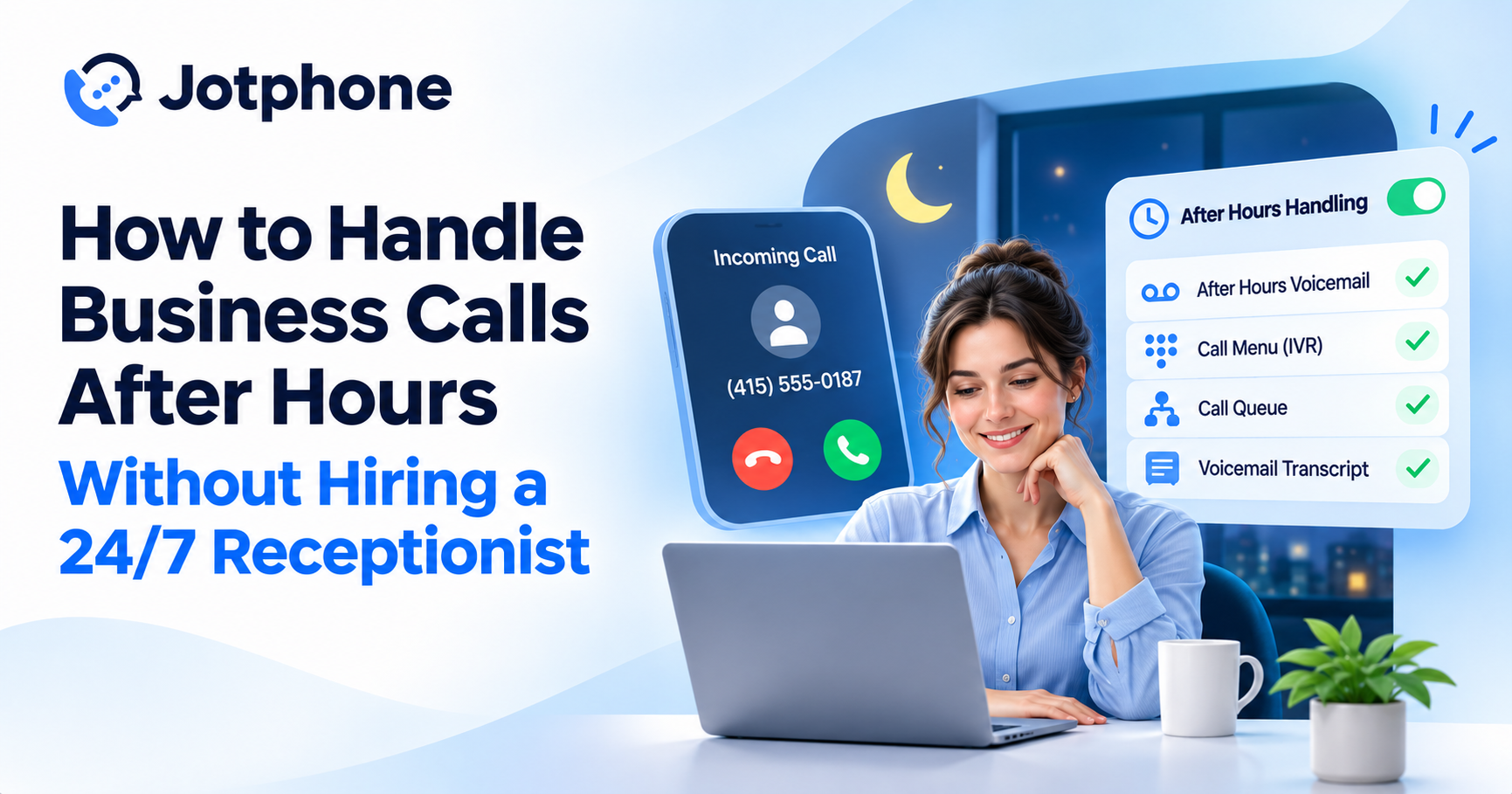
With automated greetings, intelligent call routing, forwarding, and organized voicemail workflows, businesses can manage incoming inquiries outside working hours and prepare their teams to follow up the next day.
Let’s look at how to build an after-hours calling process that works for your customers without adding unnecessary staffing costs.
Why After-Hours Calls Matter for Small Businesses
Customers don’t always call during your business hours.
Someone might contact a plumbing company about an urgent repair in the evening, inquire about a property over the weekend, or call a service provider after finishing their own workday.
When these calls go unanswered, several problems can follow:
-
Missed sales opportunities: Potential customers may contact a competitor before your team responds.
-
Delayed customer support: Existing customers may struggle to report urgent issues.
-
Poor first impressions: Repeated unanswered calls can make a business appear difficult to reach.
-
Disorganized follow-ups: Without call records, employees may not know who called or what needs attention.
The solution isn’t necessarily to answer every call immediately. It’s to make sure each caller receives clear guidance and that important inquiries don’t disappear overnight.
An effective business phone system can help businesses separate urgent requests from routine inquiries, communicate availability, and organize callbacks.
Why Traditional Voicemail Isn’t Always Enough
Voicemail is one of the simplest ways to handle calls after business hours. However, relying on it alone can create gaps in customer communication.
A generic message asking callers to leave their name and number doesn’t tell them when to expect a response or what to do if their request is urgent.
Some callers won’t leave a message at all. Others may provide incomplete information, leaving employees to call back just to understand the original inquiry.
Traditional voicemail also becomes harder to manage when several employees share responsibility for returning calls.
That’s why businesses should consider business voicemail alternatives that combine recorded messages with automated call handling, forwarding, and centralized call records.
For example, instead of sending every caller directly to voicemail, a business can use an automated menu to identify the reason for the call, direct urgent requests to an available contact, and collect messages for the next working day.
5 Ways to Handle Business Calls After Hours Without Hiring More Staff
1. Set Up an Automated Attendant to Greet Callers
An automated attendant acts as the first point of contact when your team is unavailable.
Rather than allowing the phone to ring unanswered, automated business call answering plays a recorded greeting that tells customers they’ve reached the right business.
A useful after-hours greeting should explain:
-
The business name and regular operating hours.
-
Whether live assistance is available.
-
What callers should do for urgent requests.
-
When they can expect a callback.
For example:
“Thank you for calling ABC Services. Our office is currently closed. Our regular business hours are Monday through Friday, 9 AM to 6 PM. For urgent service requests, press 1. For general inquiries, press 2 or leave a message, and our team will return your call on the next business day.”
This provides clear instructions without requiring an employee to answer every call.
2. Use IVR Menus to Direct Calls Based on Their Purpose
Not every after-hours caller needs the same response.
A prospective customer requesting a quote can usually wait until morning. An existing customer reporting an urgent service issue may need immediate attention.
An Interactive Voice Response (IVR) system lets callers select options using their phone keypad or other supported input methods.
For example:
Incoming After-Hours Call
Automated greeting + call menu
Press 1
Urgent Support
On-call contact
Press 2
Sales Inquiry
Callback queue
Press 3
General Question
Voicemail
This type of after hours call routing helps businesses organize incoming requests and reserve live attention for calls that genuinely require it.
The key is simplicity. A short menu with clear choices is usually more helpful than forcing callers through several layers of options.
3. Forward Urgent Calls to Available Team Members
Some businesses need limited after-hours coverage, even if they don’t need a full-time receptionist.
For example, property management companies, IT support providers, and emergency maintenance services may have employees who handle urgent requests outside regular office hours.
With after hours call forwarding, important calls can be directed to a designated employee, mobile number, or on-call team.
A practical process might look like this:
Customer calls → Selects urgent support → Call forwards to the on-call employee
If the employee doesn’t answer, the system can follow a predefined fallback process, such as sending the caller to voicemail.
Businesses can also configure time-based rules so calls follow different paths during office hours, evenings, and weekends.
This provides limited availability where it matters most without requiring everyone on the team to remain on call.
4. Use Voicemail Strategically to Capture Inquiries
Voicemail remains useful when it’s part of an organized workflow rather than the final destination for unanswered calls.
A well-designed after-hours voicemail should encourage callers to share the information your team needs to respond effectively.
Ask callers to provide their name, contact number, reason for calling, and any relevant reference details.
For example, a service business might request a property address or preferred appointment time. A sales team might ask callers to mention the product or service they’re interested in.
Where supported, voicemail transcription can also help employees review messages without listening to every recording individually.
The goal is straightforward: Make the next conversation easier by collecting useful information during the first call.
5. Create a Reliable Next-Day Callback Process
Answering calls automatically is only half the job. What happens when your team returns is just as important.
Imagine that your business receives several after-hours inquiries overnight. Without a shared record, employees may overlook some calls, duplicate callbacks, or lose track of which customers have already been contacted.
A structured callback process prevents this.
Start each morning by reviewing missed calls and voicemail messages. Prioritize urgent customer issues, followed by new sales inquiries and routine requests. Assign responsibility for returning calls and record the outcome of each conversation.
Set an internal response-time target that your team can realistically meet.
With centralized call logs and history, employees can review incoming and missed calls, identify recent activity, and follow up with better context.
A customer shouldn’t need to explain the same inquiry repeatedly simply because they called outside working hours.
How to Build an Effective After-Hours Call-Handling Workflow
Having the right phone features is important, but businesses also need a clear process for using them.
Here’s a practical workflow small businesses can follow.
|
Step |
Action |
Purpose |
|---|---|---|
|
1 |
Define business hours |
Apply different call rules when the office closes |
|
2 |
Set an automated greeting |
Inform callers about availability and options |
|
3 |
Identify urgent requests |
Route high-priority calls to an on-call contact |
|
4 |
Capture routine inquiries |
Collect voicemail messages for callbacks |
|
5 |
Review missed calls |
Identify customers waiting for responses |
|
6 |
Assign and complete callbacks |
Keep follow-ups organized and accountable |
Before activating the workflow, test it from a customer’s perspective.
Call your business number after hours. Check whether the greeting plays correctly, menu selections reach the intended destination, and voicemail messages are recorded.
Also review holiday schedules, time zones, and what happens if the designated on-call employee doesn’t answer.
A reliable after hours business phone service should make the experience straightforward for customers and manageable for employees.
How JotPhone Helps Small Businesses Manage After-Hours Calls
Small businesses need more than a traditional phone number when customer inquiries arrive throughout the day and night.
JotPhone brings business calling, messaging, contacts, and call activity into one platform, helping teams manage communication without constantly switching between tools.
Its features can support an organized after-hours call-handling process in several ways.
1. Business Hours and Intelligent Call Routing
JotPhone supports phone number business hours, IVR menus, and time-of-day call routing.
Businesses can configure different call-handling paths for working hours and after-hours inquiries, making it easier to guide customers toward the appropriate destination.
Its inbound calling platform also provides centralized visibility into incoming and missed calls.
2. Call Forwarding and After-Hours Voicemail
For inquiries that require immediate attention, JotPhone offers call forwarding and routing capabilities to help connect callers with an appropriate contact.
After-hours voicemail allows businesses to capture messages when employees aren’t available, while supported voicemail transcription features can simplify message reviews.
These capabilities offer a practical alternative to keeping a receptionist available throughout the night.
3. Centralized Call Logs and Customer Information
Returning an after-hours call is easier when employees know who contacted the business and when.
JotPhone keeps incoming, outgoing, and missed call records organized in one workspace.
By combining contact management with call history, employees can access customer information and review recent activity before returning a call.
This reduces unnecessary searching and helps teams continue customer conversations with better context.
4. Call Analytics for Better Follow-Ups
An after-hours calling process should improve over time.
JotPhone’s call analytics help businesses review calling activity and team performance, making it easier to identify communication patterns.
For example, managers can examine missed-call activity, compare call volumes, and evaluate whether their teams need a different approach to handling customer inquiries.
By reviewing this information regularly, businesses can make informed decisions about staffing, routing rules, and callback processes.
You can also explore JotPhone’s plans and available features to determine which call management capabilities suit your business.
Do You Need a Virtual Receptionist for Small Business?
A virtual receptionist for small business can be useful when customers frequently need live assistance outside regular office hours.
However, not every business needs a human receptionist or an AI-powered answering agent.
For businesses receiving occasional evening inquiries, an automated greeting, basic IVR menu, voicemail, and dependable callback process may be sufficient.
Businesses with urgent support requirements may benefit from combining these features with on-call employees.
The right solution depends on call volume, customer expectations, and the type of inquiries received.
If you’re evaluating your options, our guide to choosing a business phone system in 2026 explains which calling features to consider as your business grows.
Conclusion
Customers may contact your business at any hour, but that doesn’t mean you need employees answering calls around the clock.
The key is building an after-hours communication process that gives callers clear options, identifies urgent requests, captures inquiries, and ensures follow-ups happen when your team returns.
With automated attendants, call forwarding, voicemail, and centralized call management, small businesses can stay more responsive without the expense of a full-time overnight receptionist.
JotPhone helps bring these communication workflows together, giving businesses the tools to organize incoming calls, manage customer information, and improve visibility into calling activity.
Ready to Improve Your After-Hours Call Management?
Book a Demo
See how JotPhone’s calling and routing features can support your business.
Book a Demo
Get Started with JotPhone
Explore cloud calling, messaging, contacts, and call management in one platform.
Sign Up for Free
Have Questions?
Talk to the JotPhone team about your business communication requirements.
Contact Us
Frequently Asked Questions
1. What is after hours call answering for small business?
After hours call answering for small business involves managing incoming calls outside regular working hours through automated greetings, IVR menus, call forwarding, voicemail, or virtual receptionist services. It helps businesses capture inquiries and direct urgent calls without requiring full-time overnight staff.
2. Can a small business answer calls after hours without a receptionist?
Yes. Small businesses can use automated call answering, IVR menus, and voicemail to manage incoming inquiries. Urgent calls can be forwarded to designated employees, while routine requests can be handled through an organized callback process.
3. What is the difference between call forwarding and call routing?
Call forwarding sends incoming calls to another phone number or destination. Call routing uses predefined rules, such as business hours, caller selections, or team availability, to determine where calls should go.
4. What are the best alternatives to traditional business voicemail?
Common alternatives include automated attendants, IVR menus, intelligent call routing, after-hours forwarding, and virtual receptionist services. The best choice depends on whether customers need immediate assistance or simply a reliable way to leave inquiries for follow-up.
5. How can businesses avoid missing potential leads after hours?
Businesses can use automated greetings, voicemail, organized call records, and timely callbacks to capture and manage after-hours inquiries. Establishing a clear follow-up responsibility helps prevent potential leads from being overlooked.